
Why smart budgeting at home isn’t just “nice to have” anymore
Across the U.S. and EU, residential energy costs have risen 15–30% since 2021, while HVAC alone consumes roughly 40–50% of a typical home’s electricity. That’s the bad news. The good news: modern sensors, APIs, and automation platforms let you cut that spend without living in the dark. Think of a house that measures and reacts—presence-aware heating, demand-response lighting, and load shifting that nudges big appliances to cheaper hours. The trick isn’t buying every shiny gadget. It’s building a lean stack that measures accurately, automates reliably, and pays back in under 18 months. In short: treat your home like a micro‑utility with a clear ROI, not a box full of gadgets.
If that sounds abstract, don’t worry—we’ll break it down with real numbers, quick wins, and a few off‑beat ideas that quietly save money every month.
The core: measure before you automate
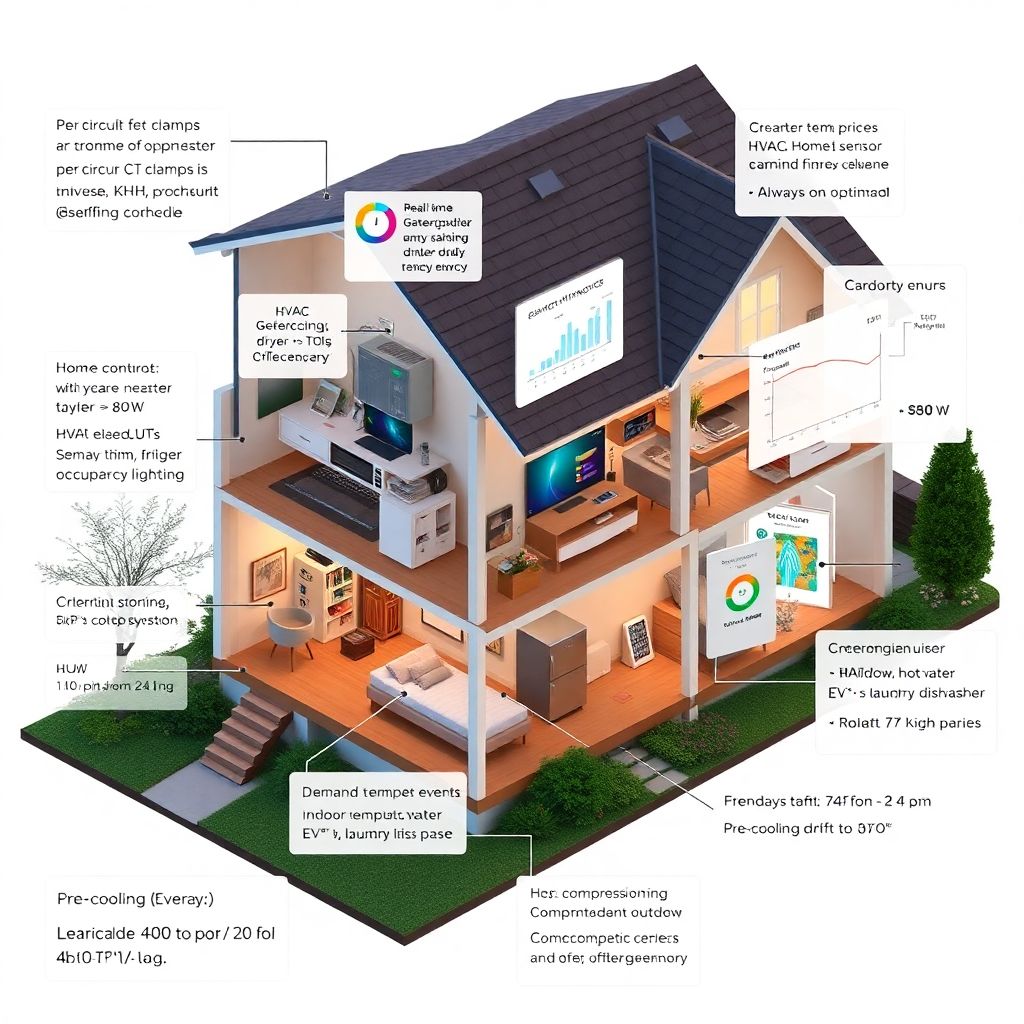
Most people start with scenes and schedules, then wonder why bills barely budge. Flip the sequence. Start with a home energy monitor on the main panel to get circuit‑level insight: HVAC, water heater, dryer, and any mystery loads. Devices like Sense or Emporia can identify major loads and surface “always‑on” draw—typically 100–400 W in many homes. At $0.25/kWh, a 200 W vampire costs about $360/year. Once you see the baseline, you’ll spot obvious moves: shift laundry from 6 p.m. to 10 p.m., lower hot‑water setpoint by 5°F, or lock in eco modes on mini‑splits.
One family in Denver cut 18% in month one just by targeting three circuits they didn’t know ran 24/7: an old networking UPS, a forgotten heat cable, and a garage fridge with a failing gasket.
Technical deep dive: measurement architecture
– Install a home energy monitor with per‑circuit CT clamps where possible. Prefer 1s sampling and exportable data (CSV/API) for validation in Home Assistant or InfluxDB.
– Calibrate: confirm the monitor’s aggregate kWh against your utility meter over 7 days; drift should be <2%. - Tag loads: map circuits to devices, then label events (compressor on/off, water heater duty cycle) for a week to train detection. - Create a baseline: kWh/day by end‑use and an “always‑on” target (aim for <80 W in efficient homes).
Heating and cooling: automate comfort, not schedules
Your thermostat can be more than a glorified wall clock. Look for geofencing, occupancy sensors, and adaptive recovery that aligns with your insulation and system latency. The best smart thermostat implementations trim 8–15% on heating and cooling, confirmed by DOE studies, when combined with setbacks and occupancy detection. Add window/door sensors: if a balcony door stays open for three minutes, pause the compressor. Link humidity data to avoid overcooling in summer—each degree of overcooling can add 3–5% to AC load.
A quick field result: a 2,000 ft² Austin home dropped peak demand 1.2 kW by pre‑cooling to 74°F from 2–4 p.m., then drifting to 77°F during peak pricing. Comfort held; bill fell 11% in August.
Technical deep dive: HVAC control loop
– Inputs: indoor temp/humidity, outdoor temp, presence (phone + mmWave), window sensors.
– Logic: pre‑condition before peak; enforce deadband 2–3°F; disable heat/cool when windows open >180s.
– Outputs: thermostat setpoint, fan mode, dehumidify threshold.
– Validation: track kWh/degree‑day in a Grafana panel; target ≥10% reduction vs. baseline over 30 days.
Lighting: brighter, cheaper, smarter
LEDs remain the highest ROI upgrade. Replacing ten 60 W incandescents with the best smart light bulbs at 9 W each saves about 510 W when fully on; at three hours daily, that’s ~560 kWh/year or $140 at $0.25/kWh. Add presence detection so halls and bathrooms light up only when needed, and you’ll shave another 10–20%. Use warm dimming at night to cut brightness by 30% without perceived loss thanks to the Purkinje effect. Motion + lux sensors prevent lights from turning on in daylight—simple, but surprisingly overlooked.
Atypical tip: set “cleaning mode” lighting to 15 minutes post‑sunset on weekends only. You’ll get bright light when likely cleaning, not every evening.
Technical deep dive: lighting stack
– Prefer bulbs with local APIs or Matter; avoid cloud‑only latency that breaks automations.
– Use lux thresholds (e.g., >200 lx disables hallway lights) and presence fusion (motion + mmWave).
– Group fixtures by zone for batch commands to reduce Zigbee/Z‑Wave traffic and failures.
Kill vampire loads with precision
Not all outlets are equal. Smart plugs with energy monitoring let you find the silent culprits: soundbars that pull 12 W in “standby,” chargers sipping 2–4 W, or a dated laser printer idling at 18 W. Put entertainment centers, office gear, and hobby equipment on monitored plugs. If average standby exceeds 2 W, schedule hard cutoffs after bedtime. Over a year, trimming 60 W of always‑on waste saves ~525 kWh—about $130 at current rates. Bonus: you’ll finally quantify whether that garage freezer is worth the extra $9–12/month.
For safety, don’t hard‑cut fridges or devices needing graceful shutdown. Use device‑specific rules and exceptions.
Technical deep dive: plug automations

– Thresholds: off if power <1.5 W for 30 minutes between 11 p.m.–6 a.m., except whitelisted MACs. - Watch for inrush: set delays to avoid simultaneous restarts after outages. - Audit monthly: export per‑plug kWh; retire or replace any device with poor idle performance.
Water and heat: small deltas, big returns
Water heating is roughly 14–18% of home energy. Lowering a tank heater from 140°F to 125°F can save 4–9% while remaining safe with anti‑scald mixing valves. Add a timer or demand control: heat during solar surplus or off‑peak windows. Smart leak sensors near the water heater and under sinks protect budgets in another way—a $20 puck can prevent a $2,000 floor repair. For hydronic systems, outdoor reset control and night setbacks quietly shave usage without sacrificing comfort.
Pair this with a laundry tweak: cold‑wash detergents are effective; a modern washer uses ~0.3–0.5 kWh per cycle, but the dryer burns 3–4 kWh. Shift drying to off‑peak or line‑dry 20% of loads and you’ll see a measurable dent.
Technical deep dive: hot water control
– Heat pump water heaters: COP 2–3; place in ventilated areas; schedule “high” during solar/noon window.
– For resistance tanks: add a contactor controlled by your hub; enforce legionella cycles weekly at 140°F for 30–60 min.
– Meters: install a pulse water meter to correlate hot‑water draw with energy spikes.
Brains of the operation: orchestration pays the bills
A well‑tuned smart home energy management system coordinates HVAC, water heating, EV charging, and major appliances with tariff data. Feed it your utility’s time‑of‑use rates, your rooftop PV output, and comfort constraints. The system then schedules deferrable loads—dishwasher, dryer, EV—to valleys in price and clouds. Real homes regularly see 12–25% bill reduction when orchestration is active, especially with solar or TOU rates. If you don’t have solar, you still gain by avoiding peak windows and shaving demand spikes that some utilities penalize.
Pro tip: if your utility offers demand response, enroll and let your automations pre‑cool or pre‑heat ahead of events for bill credits.
Technical deep dive: data and control plane
– Use Home Assistant or an equivalent hub; integrate tariff (Octopus Agile, PG&E TOU) via API.
– Priority queue: HVAC comfort > hot water > EV > laundry > dishwashers; pre‑compute a 24h schedule every 15 minutes.
– Constraint solver: linear or MILP to respect max load (e.g., 8 kW) and comfort bands; persist to the hub for execution.
Choosing hardware that actually saves
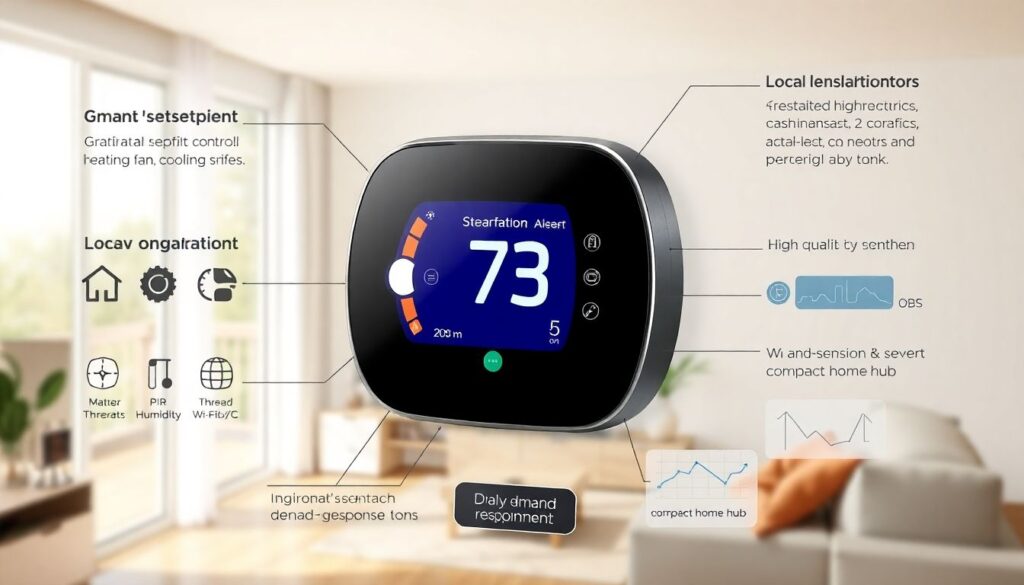
Hardware choice matters less than configuration, but don’t cheap out on the brain or sensors. For thermostats, pick models with proven occupancy detection and native demand‑response support—the “best smart thermostat” for you is the one that integrates locally and exposes granular setpoint/fan control. For lighting, focus on reliability and dimming curves; the best smart light bulbs are those that behave predictably at 1% brightness and resume correct states after power loss. For outlets, choose UL‑listed units with accurate metering chips (HLW8012/ATM90E32 class).
Avoid vendor lock‑in where possible; Matter and Thread reduce cloud dependency and latency.
Non‑obvious, high‑leverage moves
– Put your networking rack on a monitored UPS and schedule reboots for power‑hungry gear. Old NAS units idle at 20–35 W; hibernate disks aggressively.
– Use door sensors on the fridge; if left open 90 seconds, ping your speaker. That alert saves food and compressor cycles.
– Run a “seasonal audit” twice a year: new apps, new schedules, new habits. Your system should evolve with your life, not just your devices.
A client in Portland saved 9% simply by letting their espresso machine heat at 6:30–9 a.m. only, instead of idling all day at 70–100 W.
Putting it together: a 30‑day plan with real targets
Week 1: install and calibrate your home energy monitor; map circuits; find “always‑on.” Week 2: deploy five monitored plugs on likely culprits; set conservative cutoffs. Week 3: tune HVAC with occupancy and window sensors; test pre‑conditioning before peaks. Week 4: migrate key lights to presence + lux logic, and schedule deferrable loads by tariff. Expect a 10–15% reduction in kWh if you started from a typical setup; more if your baseline “always‑on” was above 200 W.
From there, iterate monthly. Track kWh/degree‑day and kWh/person as north‑star metrics. Savings compound when you keep the loop tight.
Final word
Smart home budgeting isn’t about hoarding devices—it’s about data, control, and quiet, repeatable wins. Start with measurement, target the heavy hitters, and let automation do the boring work. With disciplined setup and a pragmatic smart home energy management system, cutting 15–25% off your annual bill is not an edge case—it’s normal.