
Why Entertainment Is Eating Your Wallet (And What To Do About It)
Entertainment spending looks harmless: “It’s just $9.99 a month,” “just one extra subscription,” “just a couple of movie nights.”
But add those “justs” together — and you’ll easily see $150–250 leaving your account every month without you even noticing.
In the US, the average household now spends over $3,500 a year on entertainment (Bureau of Labor Statistics data). That’s a used car, a decent vacation, or a serious chunk of your emergency fund.
The good news: you don’t have to live like a monk to fix it. You just need a system.
Below — smart, realistic ways to save on entertainment without killing the fun, plus the most common rookie mistakes that keep people overspending.
—
Step 1. See What You Actually Pay For (Reality Check Time)
Most people think they know what they spend on fun. They’re usually wrong.
The 15‑Minute Audit
1. Open your bank and card statements for the last 2–3 months.
2. Filter or search for keywords: “Netflix”, “Apple”, “Google”, “Spotify”, “Hulu”, “Patreon”, “Twitch”, “Xbox”, “PlayStation”, “Steam”, “Uber Eats”, “Ticket”, “Cinema”, “Event”.
3. Write down:
– Service name
– Price per month
– How often you actually use it
You’ll probably discover 1–3 “ghost” subscriptions you forgot existed — this is incredibly common.
Real example:
A client of mine was sure he had “two, maybe three” subscriptions. Audit showed nine:
– 4 video services
– 2 music
– 1 game pass
– 1 cloud storage
– 1 fitness app he hadn’t opened in 6 months
Total: $86/month.
After cleaning up: $32/month. That’s $648 saved per year without sacrificing anything he really cared about.
—
Technical block: How to automate this audit
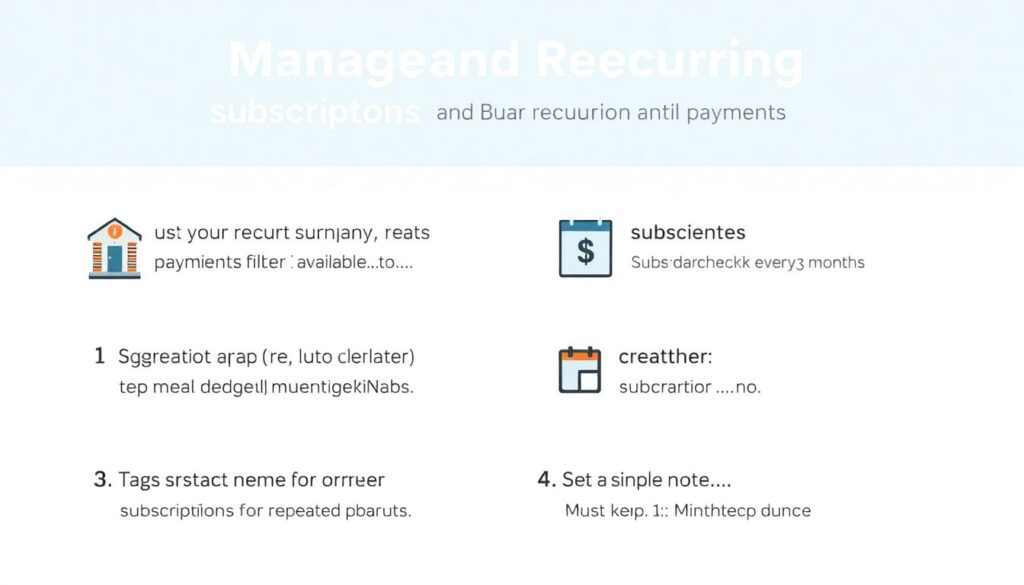
– Use your bank’s “recurring payments” or “subscriptions” filter if available.
– Aggregator apps (e.g., Truebill/Rocket Money, Mint, YNAB) can auto-detect subscriptions from repeated charges.
– Set a calendar reminder: “Subscription check” every 3 months.
– Create a simple note:
– “Must keep” (use weekly or more)
– “Nice to have” (use monthly)
– “Cancel now” (haven’t used in 30+ days)
—
Step 2. Stop Paying “Full Retail” for Streaming
If you’re paying the sticker price for every streaming platform, you’re leaving money on the table.
Use rotation instead of hoarding
You don’t need five services at once. Rotate.
– Month 1–2: Netflix
– Month 3–4: Disney+
– Month 5–6: HBO Max / Prime or another
You binge what you want, cancel, move on. Your shows will still be there.
Numbers:
5 services at $10–15 each = ~$60/month = $720/year.
Rotating 2–3 at a time averages ~$25–30/month = ~$360/year.
Same content access, ~$360 saved.
Hunt for hidden streaming discounts
The best streaming service discounts rarely sit on the front page. You’ll find more if you:
– Pay annually: many platforms knock off 15–40% for yearly plans.
– Use student plans (if applicable): Spotify + Hulu + Showtime student bundle used to be $4.99/month. Similar bundles keep showing up.
– Check your mobile carrier or internet provider: they often include one or two services free.
Look for cheap entertainment deals online via:
– Cashback sites (Rakuten, Honey, Capital One Shopping)
– Browser extensions that auto-test promo codes at checkout
– Holiday and Black Friday bundles (lots of “3 months for the price of 1” offers)
—
Technical block: Quick script to decide “keep or cancel” streaming
Define 3 simple metrics for every service each month:
– Hours watched
– Cost per month
– Number of *exclusive* shows you’d miss
Then calculate:
`Effective cost per hour = monthly price / hours watched`
Example:
– Netflix: $15.49 / 18 hrs = $0.86 per hour
– Niche anime service: $7.99 / 1 hr = $7.99 per hour
Anything above $2–3/hour is a strong candidate to cancel or rotate.
—
Step 3. Subscriptions vs One‑Time Purchases: Do the Math
A classic beginner mistake: subscribing to everything because “it’s cheaper monthly,” without checking the time horizon.
– Renting 3–4 movies a month at $3–6 each? A streaming service may be cheaper.
– Watching just 1 movie a month on that service? Individual rentals may be smarter.
Example: Music
– Spotify: ~$11/month → $132/year
– Buying a few favorite albums per year: say 10 albums at $9.99 → ~$100
If you listen to lots of new music and use playlists daily, subscription is a bargain.
If you have 20 favorite albums on repeat, maybe you don’t need a constant monthly fee.
This is the essence of how to save money on subscriptions and entertainment:
Match the payment model to your actual behavior, not the fantasy of “I’ll use it all the time.”
—
Technical block: Break‑even calculation
For any service, calculate:
`Break-even usage = monthly price / per-use alternative price`
Example:
– Cinema loyalty subscription: $20/month, unlimited movies
– Regular ticket: $12 per movie
`Break-even = 20 / 12 ≈ 1.7 movies`
If you watch 2+ movies a month, subscription wins.
If you watch 1, you’re overpaying.
—
Step 4. Events and Movies: Use the Discount Ecosystem
Many people buy tickets at full price on the official site, right before the show.
That’s usually the most expensive possible way.
Where the real savings hide
– Early bird tickets: concerts and festivals often offer 20–40% off for early purchase.
– Matinee and weekday cinema: afternoon showings can be 30–50% cheaper than evenings.
– Off‑peak events: Tuesday comedy nights, local theater previews, late‑night shows often run discounts.
Also, don’t ignore promo codes for movie tickets and events:
– Loyalty programs (cinemas, Ticketmaster, Fandango, local chains) regularly email codes.
– Credit card reward portals sometimes offer “2-for-1” or “buy 1 get 1 50% off” deals.
– Some employers and unions have discounted entertainment portals; most workers never log in.
Real‑world example:
A family of four going to the cinema:
– Full evening price: $14/ticket → $56 plus snacks ~ $20 → $76
– Tuesday special + loyalty card: $8/ticket + 10% off snacks
– 4 × $8 = $32, snacks $18 – 10% = $16.20 → $48.20
They saved roughly $28 per outing, or $300+ annually if they go monthly.
—
Step 5. Smart Strategies for Family Entertainment on a Budget
If you have kids, entertainment costs multiply fast: tickets, subscriptions, games, toys.
The trick is to schedule fun, not impulse buy it.
Build a “default cheap fun” list
Have 10–15 go‑to activities that are low‑cost or free:
– Public libraries (many offer free movies, board game nights, workshops, even 3D printers).
– Community events: city websites often list free festivals, concerts, sports days.
– Board game evenings at home with neighbors or friends (one-time cost, lots of re-use).
– Nature days: picnics, hikes, bike rides, local parks.
When kids say “I’m bored,” you pull from this list instead of instantly buying something online.
Real‑life pattern:
Families that pre‑plan 2–3 low‑cost activities each week spend 30–50% less on unplanned purchases (games, apps, random outings), because boredom doesn’t automatically equal “spend money.”
—
Technical block: “Fun” budget envelope
– Set a monthly limit: e.g., $150 for all family entertainment.
– Split into:
– $80 planned (subscriptions, one major event)
– $70 spontaneous (ice cream, last-minute movie, small treats)
Use:
– Separate debit card or e‑wallet for entertainment
– Or a simple note: track each purchase against the $150 limit
Rule: when the envelope is empty, you switch to “free fun only” until next month.
This constraint alone noticeably cuts overspending.
—
Step 6. Newbie Mistakes That Blow Up the Budget
Let’s go through the most common traps that quietly drain money.
Mistake 1. “It’s only $9.99, who cares”
Individually, $5–15 subscriptions feel harmless. Together they’re a fixed monthly bill.
Typical rookie pattern:
– 1–2 video platforms
– 1 music app
– 1–2 game subscriptions
– 1–2 “small” apps or Patreon subs
Average: 6–8 services × ~$10 = $60–80/month → $720–960 per year.
That’s a full vacation or a big chunk of debt repayment — lost to barely noticeable charges.
Mistake 2. Paying for FOMO, not usage
“Everyone is talking about this show/game, I *need* that platform.”
You buy access, watch one thing, and then… leave it running unused for months.
Rule of thumb:
If you’re subscribing for a single title, plan start and end dates:
– Start: the month you’ll actually have time to binge
– End: cancel as soon as you finish, or set a reminder before renewal
Mistake 3. Ignoring bundles
People often pay:
– Netflix + standalone sports service + music
When their internet provider offers sports + streaming as a bundle,
and their mobile carrier includes free music streaming.
Always ask:
– “Does my phone plan include any media?”
– “Does my bank card have partner discounts?”
– “Does my internet provider give trial months or long-term bundles?”
Mistake 4. Forgetting to cancel trials
Free trials are not evil, but they’re designed to make you forget.
Fix:
– Start trials only when you’ll actually test the service this week.
– Immediately put a reminder: “Cancel X” 2–3 days before trial ends.
– Consider cancelling on day 1 after signing up; many services keep access through the full trial period.
Mistake 5. Emotional spending during stress
Long day, rough week — you open an app and start buying: movies, DLC, new games, event tickets.
If you often think “I deserved this” while clicking “Buy,” that’s an emotional spending pattern.
Counter‑measure:
– 24‑hour rule for anything above a certain threshold (say $20–30).
– Add to a wish list first. If you still want it tomorrow, decide with a clear head.
—
Step 7. Use the Internet’s Price War To Your Advantage
Competition online is fierce. Use that.
Where to look for cheap entertainment deals online
– Deal forums and communities (e.g., Slickdeals, Reddit’s r/deals, region‑specific deal sites).
– Developer/promoter newsletters — they often send exclusive codes to their email list.
– “Pay what you want” bundles for games and ebooks (Humble Bundle–style sites) can give you massive libraries for a fraction of the cost.
Example:
A typical game bundle: pay $12–15 for 6–10 titles that cost $100+ if bought individually.
Even if you only play two of them, your cost per game is lower than a rental.
Just don’t fall into the trap of buying bundles “because it’s cheap” and never using them.
The best discount is on something you actually consume.
—
Technical block: Personal “deal filter” to avoid overbuying
Create three criteria your purchase must pass:
1. Use soon: Will I use this within the next 2 weeks?
2. Replace something: Does it replace another paid service or outing?
3. Below limit: Is it under my pre‑set monthly entertainment budget?
If at least two of three are “no,” skip the deal — even if it’s 90% off.
—
Step 8. Socialize Smarter, Not Richer

A lot of entertainment spending comes from “going out because everyone does.”
You don’t have to be the killjoy who never joins, but you can shape the format.
– Suggest home gatherings instead of bars: everyone brings snacks, you provide board games or a playlist. Cost per person drops dramatically.
– Alternate: one expensive outing, one cheap/free one (hiking, park, movie night at home).
– Look for venues with “happy hour” pricing, early entry discounts, or no cover charge.
Typical saving:
– Bar evening: 3 drinks × $10 + tip + snacks → $50–60 per person
– Home night: bottle of something + shared snacks → $15–20 per person
Do this twice a month and you save $60–80/month, or ~$800–1,000 per year, without becoming antisocial.
—
Step 9. Turn “Background” Time Into Free Fun
Not all entertainment has to be paid.
Fill “low-energy” or “waiting” time with free content:
– Podcasts and YouTube channels
– Free digital library services (many libraries offer Libby, Hoopla, or similar apps for ebooks, audiobooks, movies)
– Free game rotations (Epic Games Store gives away games weekly; some platforms have monthly free titles)
Once you’ve got a stream of good free entertainment, your psychological need to constantly buy new paid content drops.
—
Step 10. Build Your Own Simple System (Not a Complex Spreadsheet)
To keep things realistic, here’s a straightforward 5‑step framework.
10‑Step Checklist to Tame Your Entertainment Spending
1. Do a 2–3 month statement audit and list all entertainment costs.
2. Cancel or pause anything unused in the last 30 days.
3. Decide which 2–3 streaming services you’ll keep at a time; rotate the rest.
4. Check for bundles via carrier, ISP, bank, or employer.
5. Set a fixed monthly “fun budget” (e.g., 5% of income).
6. Put auto‑reminders for all free trials and annual renewals.
7. Move to matinee/weekday pricing for movies and some events whenever possible.
8. Build a list of 10+ low‑cost or free activities for solo and family time.
9. Use your personal “deal filter” so discounts don’t trick you into overbuying.
10. Every 3 months, repeat the audit — services creep back in fast.
Follow this for three months and you’ll likely see:
– Less guilt around spending (because it’s deliberate).
– More actual enjoyment (you use what you pay for).
– Savings in the range of $500–1,500 per year, depending on where you started.
You’re not cutting out fun — you’re cutting out waste, fear of missing out, and autopilot purchases.
That’s how you stay entertained without spinning your budget into the ground.